










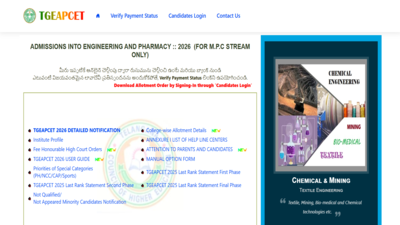
The Telangana Council of Higher Education (TGCHE) has released the TS EAMCET (TG EAPCET) 2026 Phase 1 seat allotment result today. The candidates who appeared for the first phase of counseling will be able to check their allotment status through the official counseling portal once the result link becomes active.The Phase 1 allotment will decide the seats of the colleges to which the candidate will get allotment depending on the merit rank, reservation category, web options and available seats. Candidates who got seats have to complete the online admission process before the given time.
TS EAMCET 2026 Phase 1 seat allotment result
In the provisionally allotted order, there will be details about the allotted institute and program. It is recommended that candidates cross-check all details given in the allotted letter before moving on with the admission process.Allotment can be accessed via the official counseling portal by using candidate login details. Candidates need to download and save a copy of their allotment order for further admission process.
TS EAMCET 2026 seat allotment result: Steps to download scorecards
Candidates can follow the steps elucidated here to download the TS EAMCET seat allotment result 2026:
- Go to the official TS EAMCET (TG EAPCET) counselling portal, eapcet.tgche.ac.in.
- Click on the Candidate Login or TG EAPCET 2026 Seat Allotment link.
- Enter the ROC Form Number, Hall Ticket Number, Password and Date of Birth.
- Submit the details.
- View the provisional seat allotment order.
- Download and print the allotment letter for future use.
Online reporting and fee payment schedule
Seat-allotted candidates need to do online self-reporting and online payment of tuition fee from 10th July 2026 to 14th July 2026. It is clearly specified by the counselling authority that seat-allotted candidates failing to complete the mandatory online admission procedure within the stipulated period may lose their allotted seats.After logging on to the counselling website, candidates need to make the payment of their tuition fee through the process of Net Banking, Credit/Debit Card. After making the payment successfully, candidates will get the facility to download the Seat Allotment Order and Payment Challan.Then, candidates need to accept their “Joining” through the link “Accept My Joining”. In this way, the online self-reporting procedure will be completed, and a joining report with the admission number will be generated.